 SiteProof Local edition
Before, beside after
Show the original and the updated page in one place. Name each change so your client knows what they’re looking at.
For independent web studios
Turn your website updates into a report clients can understand. Add before-and-after screenshots and a short explanation, then share one file they can open in their browser.
No signup. No installation. Your screenshots stay in this browser.
Desktop workspace · Optional Chrome & Edge extension
NORTHSTAR STUDIO · DEMO
A specific message. A clear call to action.
The original and the result, side by side.
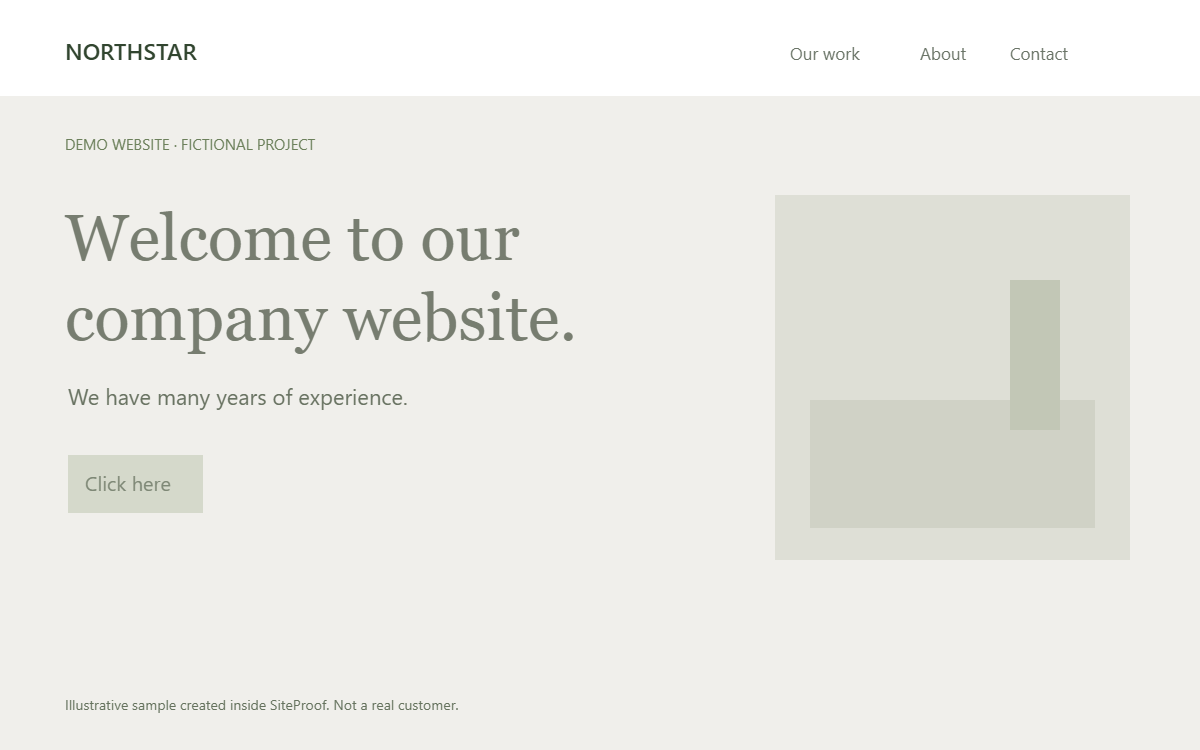
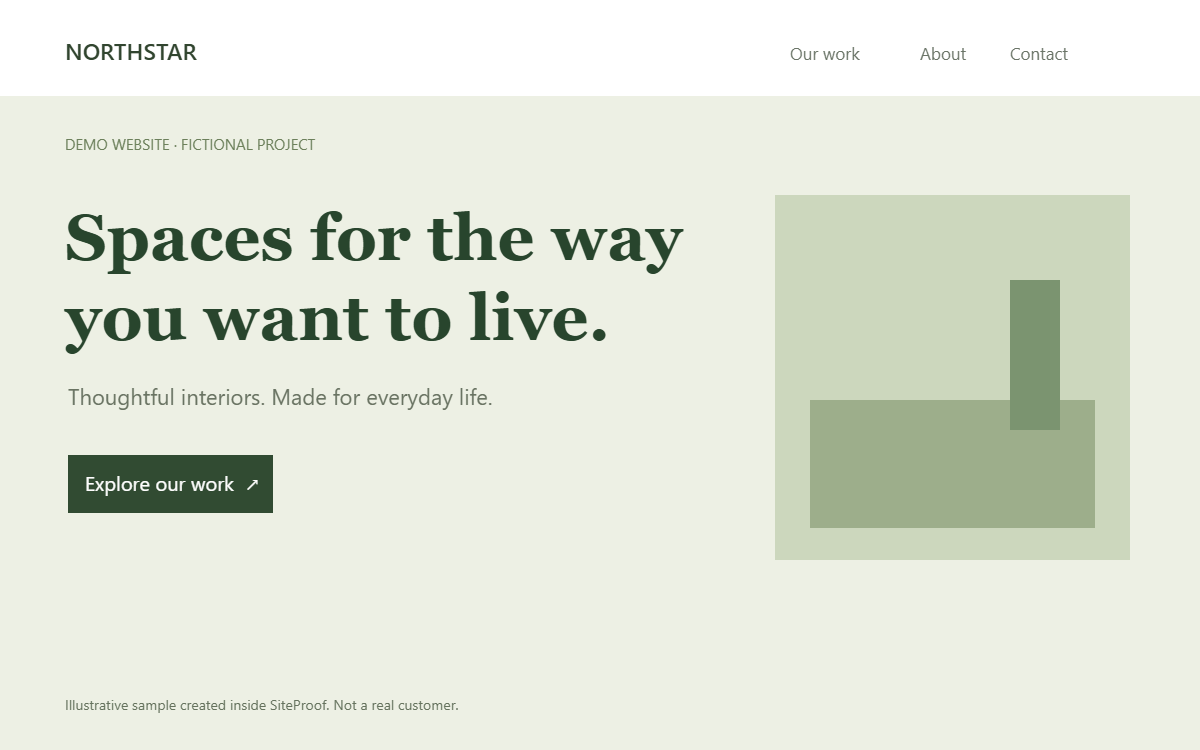
Illustrative Northstar project · not a real client
Made for the handoff
Free browser workspaceNo account or installReports work offlineNo subscriptionWhat your client gets
A website update deserves a clear explanation. Put the original, the result and your notes together in a report that’s easy to review.
Show the original and the updated page in one place. Name each change so your client knows what they’re looking at.
Add a short note, the page URL and your studio name. Give each fix the context a screenshot alone cannot provide.
Send a standalone HTML report through your usual email or chat. Your client can open it without installing SiteProof.
Website care · Design refinements · Content updates · Launch fixes
A focused workspace
Open the workspace and start with your own screenshots. SiteProof saves projects in this browser, with no account and no automatic screenshot uploads. Export a backup to keep a separate copy.
See how it works
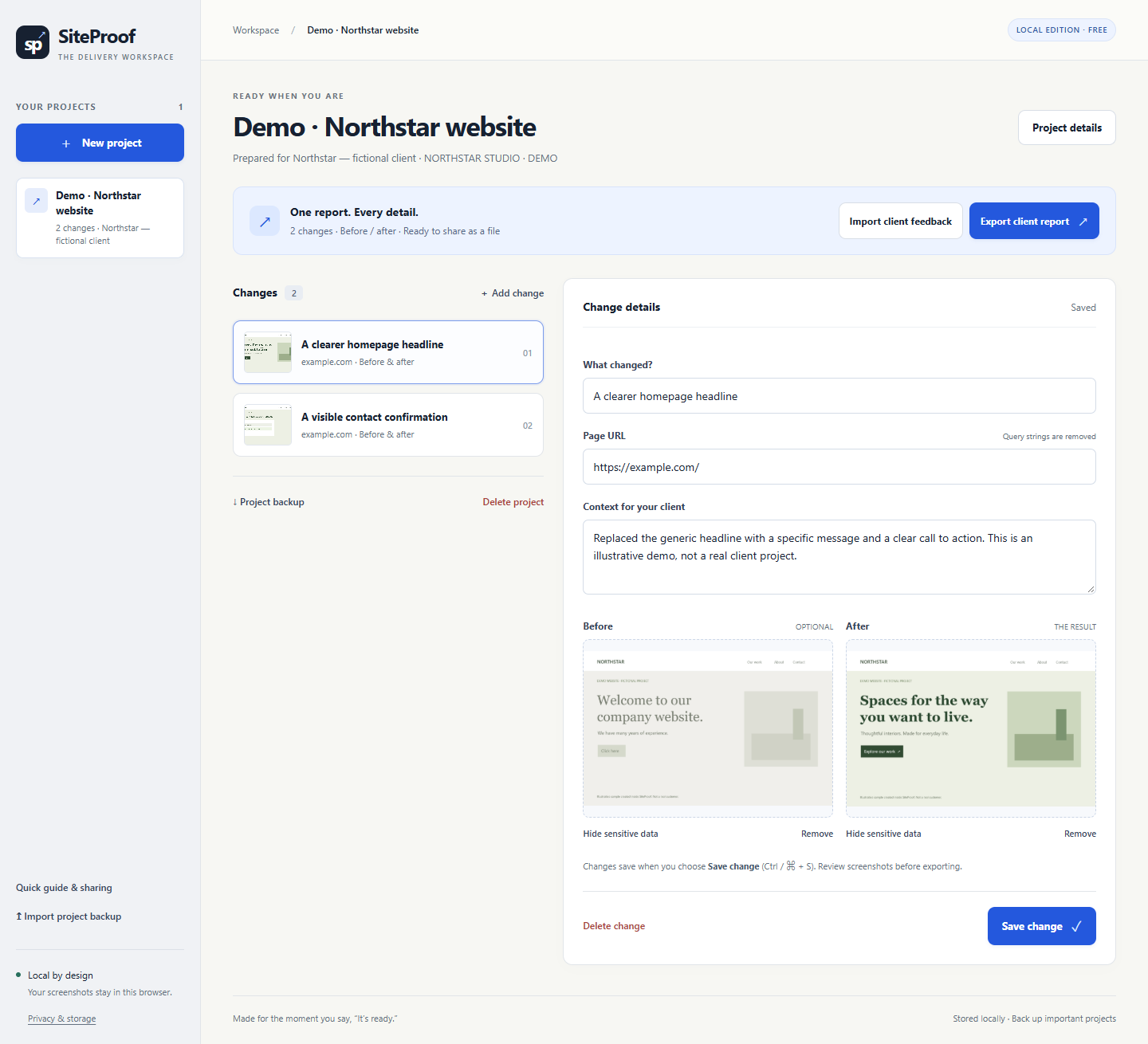
Three steps from a website change to a client handoff. Try them in the browser workspace using your own images, or watch the extension walkthrough below.
Select New project. Add a project name, the client’s name and your studio name, then save.
Choose Add change, upload a before and after image, and write a short note. Cover sensitive image areas and save the change.
Select Export client report. Review the downloaded HTML file, then share it through your usual email or chat.
Send the exported HTML file. Your client can download a feedback JSON file from the report and send it back. Use Import client feedback to attach it to that report version.
Try the sample reportDownload a Project backup and send the JSON file to your colleague. They open the browser workspace or their installed extension and choose Import project backup. These are separate local stores: move projects with a JSON backup. There is no automatic sync or merge.
See the team handoff stepsFree browser workspace · No signup or installation
Quick start and optional extension guide
Built around your work
Add visual context to the work you already deliver. Start with a workflow that fits your studio.
Pair your maintenance summary with before-and-after evidence for design and content changes.
See the care-plan workflow WEBFLOW HANDOFFSShow the page, viewport and reason behind each visual change before handing the site back.
See the handoff workflowSimple ways to start
The browser workspace and optional extension are free. If you’d like help preparing a first report, ask about our one-time assisted service.
Turn your own screenshots and notes into a clear record of website updates.
No signup or install · Optional extension for page capture
Send your approved screenshots and notes. We’ll help shape them into a finished SiteProof report.
Scope, timing and payment agreed by email before work begins. No recurring charge or online checkout.
Early release · Manual file sharing · No live report hosting or cloud collaboration
No. The exported HTML report includes its images and opens in a normal browser. Your client can read it offline without installing SiteProof or creating an account.
No. Open the browser workspace to upload screenshots and create a report. The optional Chrome and Edge extension adds visible-page capture and has a separate local store. It currently uses manual installation and has no store listing. Read the quick-start guide.
The browser workspace stores projects locally for this website in your current browser profile. The extension has its own separate store. Neither automatically uploads projects or screenshots. There are no analytics or external AI services in the product. Review every export before sharing, and save backups separately. Read the full data policy.
The client chooses a decision in the report, downloads a feedback JSON file and sends it back through your usual email or chat. You import that file into SiteProof. Feedback is tied to the report version; it is not submitted automatically, authenticated or a digital signature.
The optional extension captures the visible viewport of a normal website. Scroll for another capture or upload your own images. The browser workspace uses uploads and cannot capture another tab. Browser settings pages, local files and restricted pages cannot be captured by the extension.
One HTML report with up to 3 before-and-after items, prepared from your approved screenshots and notes, plus one revision. We confirm scope, timing and an available payment method by email before starting. It is an optional manual service with no recurring charge. Do not send website passwords or payment card details.
The next step is a clear one
Open the workspace and make a report for your next client handoff.